

100%Safe & Clean

200+Countries Served

100M+Global Users

17+Years of Experience


MiniTool Partition Wizard Pro Overview
MiniTool Partition Wizard Pro is built for users who need powerful disk management tools beyond basic partition management.
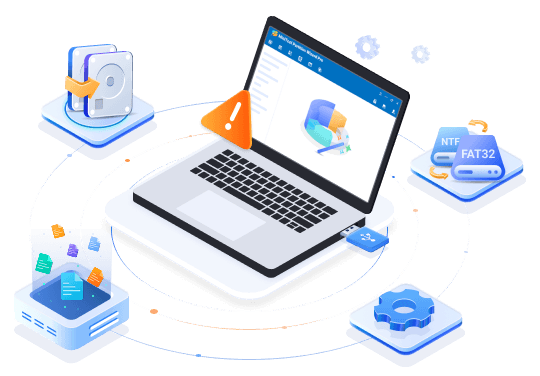
- Migrate OS and clone system disks for seamless upgrades, replacements, and storage transitions.
- Recover lost partitions and deleted data caused by accidental deletion, formatting, corruption, or unexpected issues.
- Convert file systems and disk types, including FAT/NTFS and MBR/GPT, without data loss.
- Manage dynamic disks and perform advanced volume conversions.
- Create bootable media to troubleshoot unbootable PCs when system issues occur.
Find the Right Pro Edition for Your Needs
RECOMMENDED
Features
Pro
US$59
Annual Subscription/1 PC
Pro Platinum
US$109 US$129
Annual Subscription/3 PCs
Pro Ultimate
US$159 US$199
Perpetual License/5 PCs
- Partition Recovery
- Data Recovery
- Clone/Migrate System
- Convert OS Disk to GPT Disk
- Manage Dynamic Disk
- Change Cluster Size
- Change Partition Type ID
- Convert NTFS to FAT
- Change Serial Number
- Create Win-PE Bootable Media
- Basic Disk Partition Management
Key Disk Partition Features for Windows
Data & Partition Recovery
Recover lost or deleted partitions and restore files from formatted, damaged, or inaccessible storage devices. Support all file types across HDDs, SSDs, USB drives, SD cards, and more.

System Migration & OS Disk Conversion
Upgrade or replace the system drive without reinstalling Windows. Migrate Windows, clone the entire system disk, and convert the OS disk from MBR to GPT for UEFI boot support.

Bootable Media Builder
Create WinPE bootable media to repair Windows startup issues and manage disks even when Windows won’t boot.

NTFS to FAT Conversion
Convert an NTFS partition to FAT without formatting, making it easier to use storage devices with systems that require FAT compatibility.

Dynamic Disk Management
Manage dynamic disks with support for creating, deleting, formatting, and resizing dynamic volumes for flexible storage management.

More Essential Disk Management Features
Handle common partition and disk operations quickly and safely with comprehensive management features.

Optimize Disk Layouts
Resize, move, merge, or split partitions to optimize disk space and create new partitions without data loss.

Copy Disks or Partitions
Clone any disk or partition for storage upgrades or data migration without affecting the original data.

Wipe Disks or Partitions
Permanently erase data from disks or partitions to prevent unauthorized recovery before reuse, resale, or disposal.

Check Disk Partition Health
Check file system integrity and scan disks for bad sectors to detect and resolve potential storage issues.

Manage BitLocker Partitions
Manage BitLocker-encrypted partitions by locking, unlocking, and accessing protected drives securely.

Free Up Disk Space
Find duplicate files and large files to clean up storage space and improve disk usage.
MiniTool Partition Wizard Tech Specifications

Supported Operating Systems
- Windows 11
- Windows 10
- Windows 8.1/8
- Windows 7

Supported File Systems
- FAT12/16/32
- exFAT
- NTFS
- Ext2/3/4

Supported Storage Devices
- HDD
- SSD
- SSHD
- External hard drive
- USB flash drive
- SD card
- Dynamic disk
- Hardware RAID
Why MiniTool Partition Wizard

Trusted by leading software reviewers

MiniTool Partition Wizard Free is free partition management software for Windows that can perform lots of different tasks on hard drives and partitions. It can copy, format, delete, wipe, extend, and resize partitions.

MiniTool’s Partition Wizard is a highly competent partitioning toolkit that experienced users should have little difficulty getting up to speed with. The interface is particularly focused in its approach and exceptionally easy to use for basic operations. Good for the less experienced.

MiniTool’s Partition Wizard is an ideal tool that’ll help you manage the files on your PC more resourcefully, and is suitable for both individual and enterprise use.

MiniTool Partition Wizard Professional should really be up with the main names in disk manager. It offers quick and easy control of all the essential partition tasks you might need to undertake on your drives.

MiniTool Partition Wizard Free Edition is the pioneer of free partition software. Unlike other free partition managers, MiniTool offers more powerful free functions on disk partition management to optimize your disk usage, and protect your data.

MiniTool Partition Wizard Free Edition earns a recommendation for users who want safe control of disk changes without bloat. Core tools cover everyday partition work, while analyzers help decide what to keep or move... It is a sensible install for reliable, low-stress storage maintenance.
FAQs About Professional Disk Partition Software
What is the difference between MiniTool Partition Wizard Free and Pro?
While the Free Edition covers basic partition management tasks such as creating, resizing, formatting, and deleting partitions, MiniTool Partition Wizard Pro adds extra advanced features, including OS migration, system disk cloning, disk type conversion, dynamic disk management, and bootable media creation.
Can I migrate Windows without reinstalling?
Can I clone my boot drive?
Can I convert my system disk to GPT?
Does MiniTool Partition Wizard support dynamic disks?
Can I use MiniTool Partition Wizard Pro when Windows won’t boot?
Can I transfer Windows to a larger SSD?
Get Started with MiniTool Partition Wizard Pro
Unlock advanced features for system migration, disk cloning, recovery, and more.